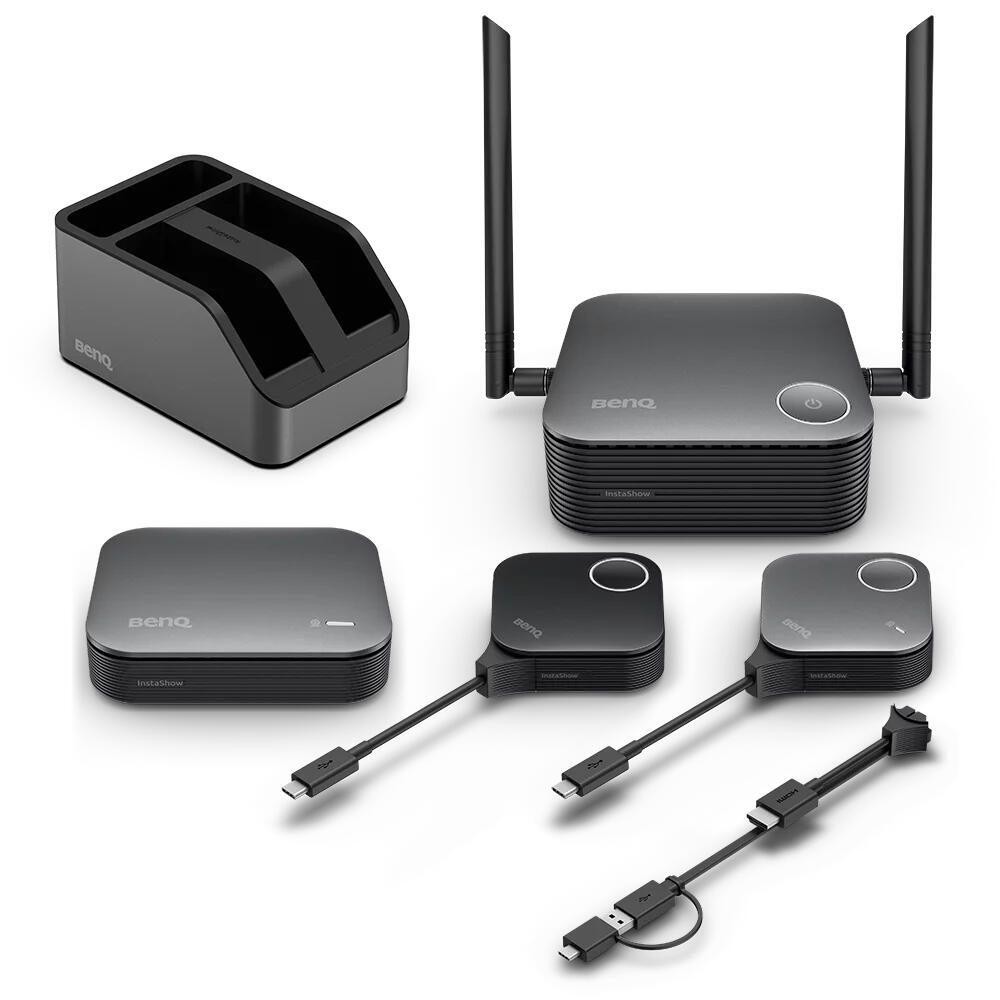
BenQ InstaShow VS25 wireless presentation system HDMI Desktop - BenQ
Alle Angebote (1)
Weitere Händler erscheinen hier, sobald zusätzliche Angebote verfügbar sind.
| Händler | Preis | Versand | Gesamtpreis | Verfügbarkeit | Zum Shop |
|---|---|---|---|---|---|
| SOTEL | 2.802,15 € | Versandkostenfrei | 2.802,15 € | Auf Lager | Zum Angebot |
Beschreibung
<p><b>Launch Wireless Conferencing Instantly</b><br>InstaShow enables instant plug-and-play wireless conferencingno apps, drivers, or network setup required. Presenterseven guestscan access video conferencing cameras and audio to enable instant collaboration with a tap.<br><br><b>No Driver Needed</b><br>No drivers neededjust plug in and join online meeting instantly.<br><br>*Supports Windows, macOS, Linux, or ChromeOS systems.<br><br><b>No App Download Required</b><br>No software or app requiredjust plug in and instantly share content during your meeting.<br><br><b>No Network Setup Required</b><br>No complex network setup or IT help needed. Receiver, Multimedia Hub and Button pair automaticallyjust plug and play to start presenting instantly.<br><br><b>Support BYOM and BYOD Collaboration Solutions</b><br>Host wireless videoconference meetings via Zoom, Microsoft Teams, or Google Meet. Plug and play to join BYOM/BYOD for seamless, cable-free conferencing anywhere.<br><br>*Open video conferencing app on your laptop and select the audiovisual device, switch the camera from your laptop to the meeting room, then share content via Host Button.<br><br><b>4-Way Split Screen</b><br>Up to 4 presenters can share ideas on one screen. Works with Windows, Mac, Chrome, and Linuxperfect for fast, efficient multitasking.<br><br><b>Guest-Friendly Design</b><br>Guests can present instantly via HDMI or USB-Cno app or login required. Securely share from any laptop, including MacBook and Chromebook, keeping meetings on track.<br><br><b>One-Time Wireless Conferencing Setup</b><br>Set up onceno need to rebuild for every meeting. Save time, cut support, and let presenters start instantly by plugging in.<br><br>Steps:<br><br>1.Connect display to Receiver via HDMI cable and connect video bar to Multimedia Hub via USB cable.<br><br>2. Plug Host Button into presenters laptop, tap the green button and share the content.<br><br>*Plug Button into another presenters laptop for seamless content switching.<br><br>3. Open video conferencing app on Presenters laptop and select camera, microphone and speaker.<br><br>*Support Zoom, Microsoft Teams, or Google Meet applications.<br><br><b>Streamlined Audiovisual Integration for Hybrid Meetings</b><br>Multimedia Hub supports various kinds of audiovisual devices for enhanced sound, visuals, and flexible installationcompatible with any device and room setup.<br><br><b>Fits into Your Meeting Room Layout</b><br>With its separate wireless Receiver and Multimedia Hub, InstaShow can connect to existing ceiling projectors and mounted video bars and cameras without the need to run additional cables.<br><br><b>Maximum Device Flexibility</b><br>Featuring high compatibility, InstaShow works with nearly every major brand of cameras, mics, speakers, or video bars via Multimedia Hub for flexible, seamless communication.<br><br><b>Supports Various Input Sources</b><br>USB-C and USB-A ports connect to separate cameras, mics, speakers, or integrated video bars through a Multimedia Hub.<br><br><b>Seamless 4K UHD Transmission</b><br>Enjoy smooth 4K UHD transmission with full support for 4K, HDCP, and Touchback controldelivering professional, interactive presentations every time.<br><br><b>Superior Encryption Security</b><br>Advanced encryption and CVSS 4.0 certification guarantee secure data transfer with no risk of leaks.<br><br><b>Zero Software or Network Setup</b><br>No software or internet needed, minimizing risks and keeping sensitive data safe from breaches and hacks.<br><br><b>WPA3 Enterprise Security Protection</b><br>WPA3 enterprise* secures the Receiver-Button connection, keeping every presentation safe, secure, and reliable.<br><br>*Available in Q1 2026<br><br><b>HDCP Support</b><br>Supports HDCP-encrypted HDMI content, letting presenters connect devices without security errors or blank screens.<br><br><b>CVSS 4.0 Certified Security</b><br>Certified to CVSS 4.0 by ISO27001 & ISO17025 labs for guaranteed information security.<br><br><b>Router-Level Chipset</b><br>InstaShow uses an MTK router-level chipset with automated channel switching to ensure high-speed streaming support in crowded wireless environments with multiple InstaShow Receivers in the same area without any configuration.<br><br><b>Easy to Manage.<br>Simple to Maintain</b><br>Cloud management and swappable plugs simplify upkeep and streamline control across multiple meeting rooms.<br><br><b>Versatile Connection Design</b><br>Quickly switch between HDMI and Type-C with U-magnet bolt design for easy maintenance and seamless device use.<br><br><b>Manage everything remotely</b><br>BenQ's cloud-based DMS lets admins update firmware, monitor, and diagnose multiple InstaShow units remotely from a single dashboard.<br><br>*Available in Q1 2026</p> <h3>System requirements</h3> <ul><li>Mac compatibility: Yes</li> <li>Mac operating systems supported: MacOS</li> <li>Linux operating systems supported: Yes</li> <li>
Preise inkl. MwSt., falls zutreffend. Endpreis und Verkaufsbedingungen werden vom Händler beim Checkout bestätigt.